E-Commerce Photo Editing
Clipping Path Services: The Quiet Engine Behind E-commerce Growth
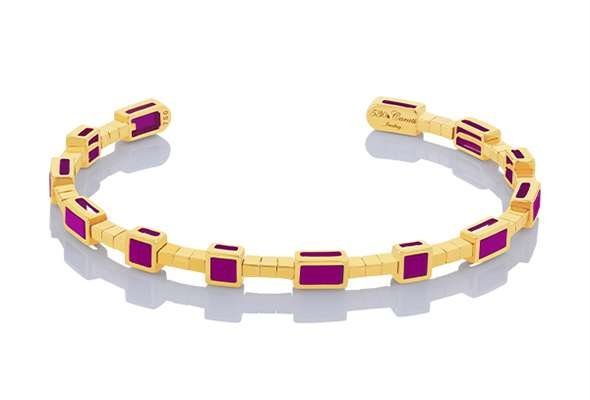
In e-commerce, physical interaction is absent, so product imagery does not just represent a business, it is the business. A clipping path is the quiet engine behind that imagery: a hand-drawn vector path that cuts a product out precisely from its background, so it can be placed cleanly on white, transparent, or branded backgrounds across a whole catalog.
What a clipping path actually is
A clipping path is a closed vector outline drawn around a product by hand, point by point, following its exact edges. Because it is vector-based, it stays sharp at any size and can be reused for different backgrounds and formats. It suits products with clear, hard edges: boxes, bottles, furniture, electronics, shoes, and most packaged goods.
Clipping path vs image masking
Masking suits soft or complex edges such as hair, fur, sheer fabric, smoke, or transparent objects, where a hard outline would cut away real detail. Clipping paths suit hard edges where precision matters and the outline is clean. Many catalogs need both: paths for the main product shape, masking for soft parts, combined in one finished image.
How clipping path work supports growth
Clean cutouts make catalogs look consistent, which builds trust and makes comparison easy for shoppers. They also make images reusable: one clean cutout can serve a marketplace listing, a store page, a social post, and a print catalog, each with the right background and size. That reuse speeds up launches and keeps branding steady as a catalog grows.
The clipping path workflow
Work starts with the raw photo and a brief covering background, margin, and output specs. The editor draws the path at high zoom, checks corners and curves, removes the background, and places the product on the required background. A quality check then reviews edges, holes, and small details such as handles, straps, and thin legs, before files are exported and named for the catalog.
Quality checks that matter
Check edges at full zoom for jagged or cut-off parts. Check interior holes, such as mug handles or chair gaps, to confirm the background shows through correctly. Check color after the background change, and check consistency across all views of the same product.
When to choose a clipping path service
Choose a service when volume is high, edges are complex, or consistency across hundreds of images matters. A test batch in your own product category shows edge quality and turnaround more honestly than any sample gallery.